



Persephone Can Now Read from NCBI Datasets API
We are excited to announce a major feature improvement: use Persephone to view data by connecting to the NCBI Datasets API. So, now you can engage the fast graphical engine of Persephone to visualize the vast collection of NCBI’s genomes without loading them to the Persephone backend.
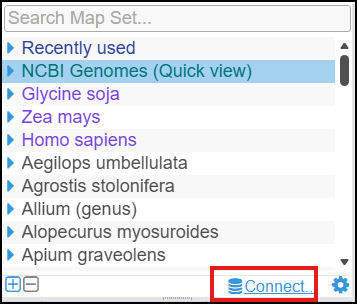
At the bottom of the map set tree, you will see a new “Connect…” hyperlink. It opens the form for working with external data sources. For now, only the NCBI tab is functional.
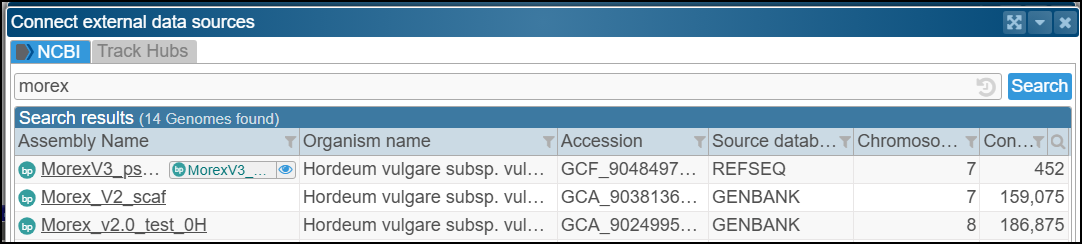
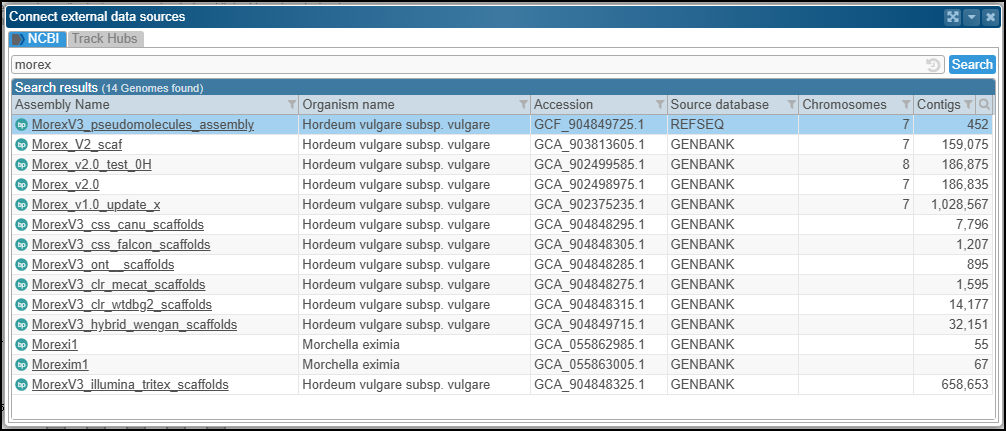
Use this interface to browse the metadata. To initiate the listing, provide your search term; for example, type ‘morex’ – the name of a popular barley reference genome.
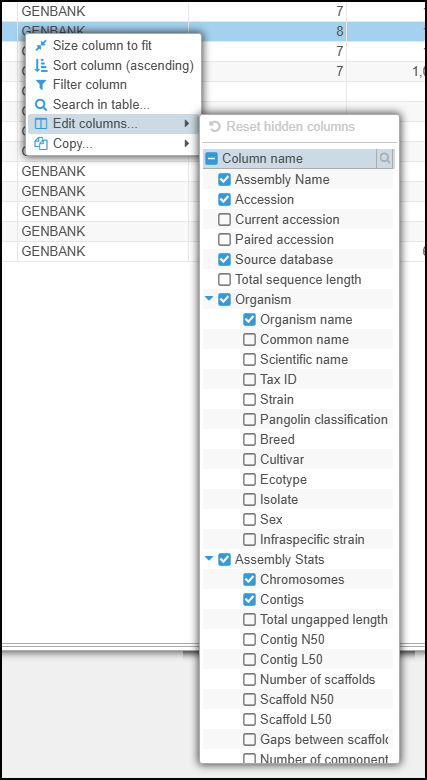
As in most Persephone data grids, you can customize the columns. Right-click the table and select Edit columns to see available columns with metadata, which may help you select the right genome:
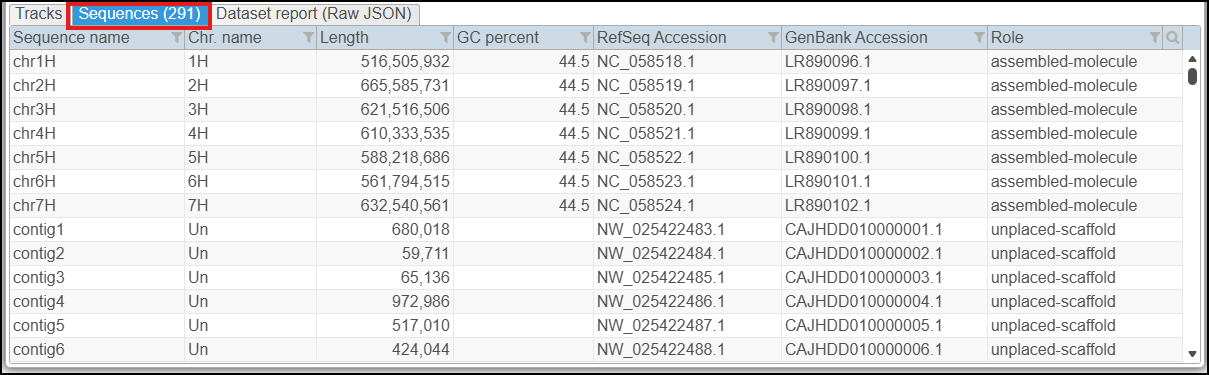
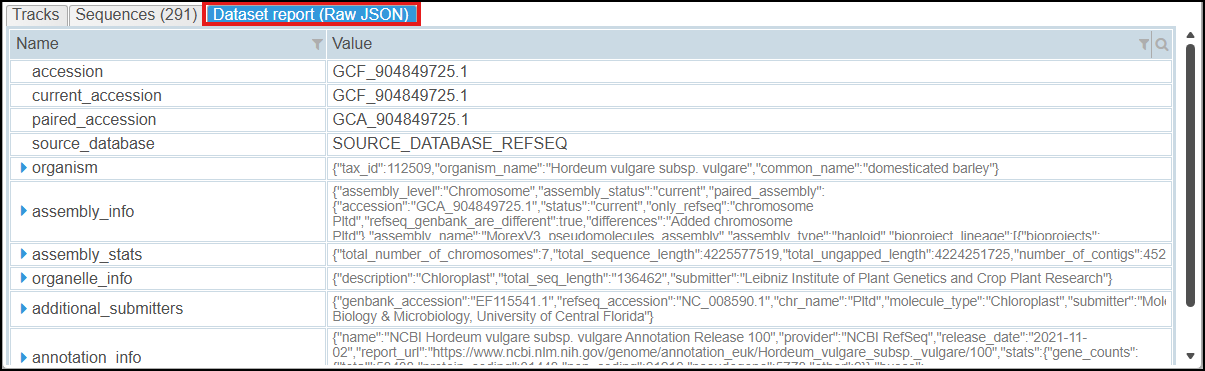
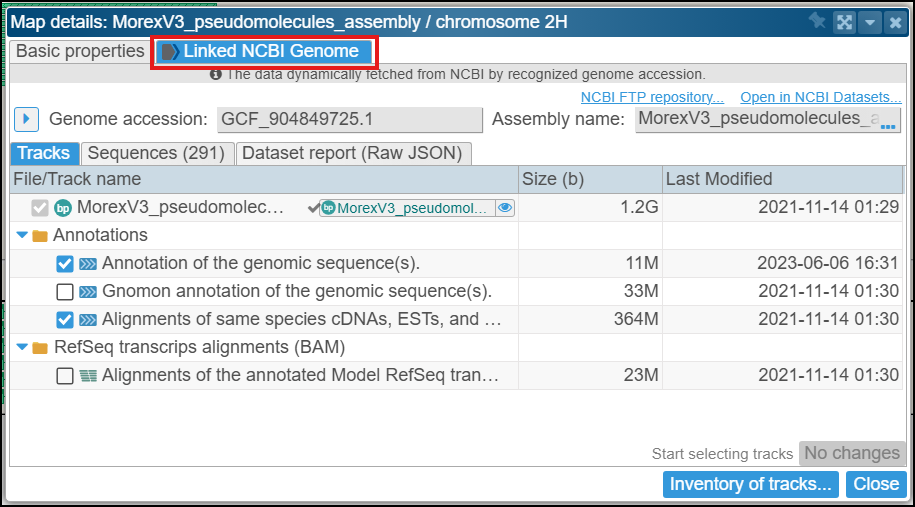
As an example, let’s select MorexV3_pseudomolecules_assembly. The next page displays information about the selected NCBI record and lists available tracks. This form also has additional tabs with the inventory of assembly sequences and a structured JSON dataset report.
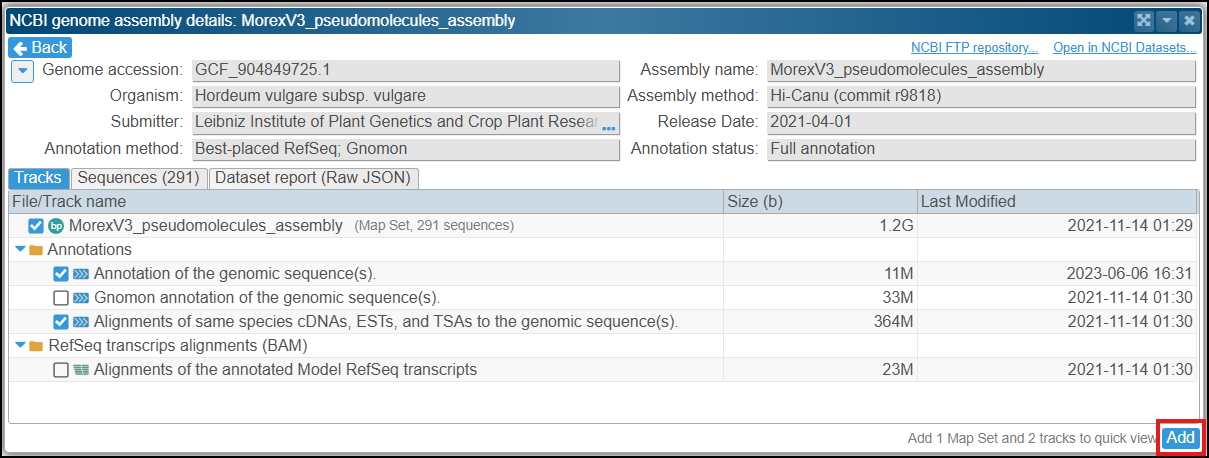
When selecting an annotation track, the assembly row is automatically added. When you click Add, Persephone creates a new temporary map set visible only to you. The new entry will appear in the map set tree under the NCBI Genomes (Quick view) node:
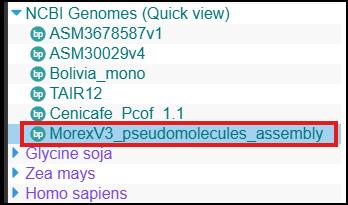
This viewing method is called “Quick View” because Persephone adds the selected items immediately after downloading the corresponding files. You don’t need to match map names, as the API uses consistent nomenclature. Check another checkbox for an additional track, and the track will magically appear on the map in a few seconds. You can select multiple genomes/tracks, and they will not consume your user disk quota. However, after some time, the old tracks may disappear.
Behind the scenes, a large server-side cache caters to many users. When one user requests a specific genome, any other users requesting the same genome will receive it instantly, as the cached files are reused. We expect this scenario to be common in labs that work with a fixed set of genomes.
To recall the source of the quick view, open the corresponding map set properties and jump to the tab Linked NCBI Genome:
If you already have a genome loaded in the main Persephone database and want to add an individual track from NCBI, right-click the track and copy its URL. Then paste it into the regular input window and follow the usual instructions.
Connecting to the NCBI API is the first step toward tapping into a broader ecosystem of external resources. Persephone will soon be able to read data from external track hubs as well, opening new possibilities for data federation and integrated visualization.